Last day, but not least. Again, a couple of interesting sessions.
The first was “PeopleSoft PeopleTools Release 8.51 Highlights: PeopleSoft Integration Broker” (David Bain), with several new features for the Integration Broker : documents for the metadata structure creation and validation (non-Peoplesoft data structure), Peoplecode against non-rowset data, WSDL limited. An interesting feature is the document tester. In addition, of Best effort Delivery, Delay processing, FTP, inbound request load-balanced, parallelism of large messages processing, new algorithm of messaging load-balancing. In the futures releases, we could see even more : Peoplesoft Integration Network (simplified configuration and setup), monitoring, introspections of applications interfaces…
The second session of the day was a panel discussion, with a lot of questions about the security, and lifecycle of users. It seems there will be a lot of changes in the coming release, e.g. avoid two concurrent connections with same user (PT8.53).
The last session of the day (and of this OOW for me), “Secure PeopleSoft PeopleTools: Analysis of a Threat and How to Protect Your Data” (Greg Kelly) , or the state of art to secure the company. You can find the presentation on the Greg’s blog : http://blogs.oracle.com/peopletools/2010/09/anatomy_of_a_threat_and_some_i.html
And now ? Now OOW2010 is closed, but a lot will come out in the coming days and weeks. First of all, flying back home, and have a rest. I need to sleep all over the week-end to recover. I cannot wait for next week to play around Peopletools 8.51 and test several features which are very exciting. To be followed.
Enjoy,
Nicolas.
Friday, September 24, 2010
OOW2010 – day 5
Thursday, September 23, 2010
OOW2010 – day 4
Second last day of this Open World 2010, so far very interesting but really exhausting.
The first session of the day was “PeopleSoft PeopleTools 8.51 Highlights: Simplify Upgrade and Maintenance” (Scott Schafer), with a special key point, with a demo, on the new tool Peoplesoft Test Framework (PTF). This tool, combined with the enhancement of the compare report (now stored in tables in the database !) will change a lot the upgrade process. PTF is running onto a Windows client machine only and need Internet Explorer as a browser (version 7 and above). PTF is a tool for impact analysis, and is a record and playback testing tool. It creates comparable and copyable objects. Everything seems to be done to simplify the regular (yearly) upgrade of the Peopletools that we should do as of now, but it is perfectly integrated in a lifecycle management, upgrade and change management.
The second session was “PeopleSoft Enterprise Integration of Oracle Database Technologies” (Jerry Zarate, Darryl Presley), and again very interesting stuff presented here. Peopletools 8.51 has again greatly changed a couple of things for administrators. For instance, Peoplesoft will take the script back (with DBMS_METADATA.GET_DDL package – I’d say finally) before creating a new script when building a project, consequently if a table has been partitioned, it keeps the partitions settings. An other great feature is the Active Data Guard (only within 11g database), from Peopletools 8.51, we can configure a standby site in the application and batch server configuration files. By defining a component as “read-only” (also new in AppDesigner) Peoplesoft will run it onto the standby database if it has been defined and if it is available. It does not work yet for all the processes (COBOL and SQR will follow in future version), but it can greatly improve performance by running a couple of queries/processes onto the secondary site instead of loading the primary site. Many years after the acquisition, we can see now Peoplesoft much more integrated into Oracle database.
Last session of the day, “PeopleSoft PeopleTools Developer Series: Application Performance Tips” (Jeremy Pressman), not Peopletools 8.51 specific, but great advices to improve performance following some rules. For instance, use temporary tables where possible, avoid nested views but tables, on a grid use multiple hide columns at a time instead of one by one, avoid long field in a grid or use a view, from Peopletools 8.50.12 use “Get Next Number With Gap” (GNNWGC, MOS note #1067463.1), use _UNNEST_SUBQUERY=false (I already wrote an article last year about hat here)…
Tomorrow, last day, “it’s a wrap”…
Nicolas.
Wednesday, September 22, 2010
OOW2010 – day 3
Today was an exciting day for Peopletools stuffs.
First of all was the session “PeopleSoft PeopleTools Product Roadmap” (Jeff Robbins) with a lot of announcement and planning for the future of Peoplesoft. As of now, a new Peopletools release will be out on 12 months basis. There will be the major releases (Peopletools 8.50 is) and minor releases (the next two ones). Major releases will be the based releases for the new applications delivered on a 3 years basis. It could be resume as following :
Peopletools 8.50 => Application 9.1 (2009)
Peopletools 8.51 and 8.52 => Application feature packs (2011/2012)
Peopletools 8.53 => Application 9.2 (2013)
Peopletools 8.54 and 8.55 => Application feature packs (2014/2015)
Peopletools 8.56 => Application 9.2 (2015)
etc.
A couple of changes in the licenses, Oracle won’t provide anymore the applications from tier vendors (e.g. Crystal Reports, Business Objects…). Furthermore, the IBM COBOL compiler (currently only available on AIX and Windows but could be soon on Linux as well) is coming around with 25% of discount (it is worth to re-read your current fees, see MOS note #1212164.1).
And now about the new features coming in Peopletools 8.51 (non-exhaustive list):
* Smart navigation : application navigation by hierarchical data, persistent search page
* Embedded help
* Peoplesoft Test Framework : to simplify the upgrade, run compare report directly onto the database, test case, estimate level effort, automated system test…
* Work Center Framework
* Security, Integration and Plateform
* Active Dataguard (11g+)
That was 1 hour session, intensive and informative. Now we just have to download, install and play with this new version to see by ourselves.
My second session of the day was also dedicated to Peopletools 8.51, “PeopleSoft PeopleTools Release 8.51 Highlights: PeopleSoft PeopleTools in Action” (Russell Broom). Also a very detailed and informative session, especially about the features coming automatically or not (to be activated manually) within a Peopletools upgrade only.
* The Work Center is still limited within Peopletools 8.51 but it will be expended within the future versions.
* Embedded help is a modeless window (manual step after Peopletools only upgrade)
* A lot about widows : modal, modal prompt, modal zoom, modal secondary page
* Persistent search (manual step after Peopletools only upgrade)
* Related content
The last session was not Peopletools 8.51 focused, but not less interesting, “Peopletools : Secure Coding Practices” (Greg Kelly), or the state of the art of the security coding. Greg gave a lot of advices and some rules to follow to protect the code against SQL injections. A very good remind to be applied on every project !
I’m looking forward tomorrow, some more highlights on Peopletools 8.51 (Upgrade and Maintenance).
Nicolas.
Tuesday, September 21, 2010
Peoplesoft OVMs ELM9.1 and FSCM9.1
Whilst the OOW is running, two new Peoplesoft OVM are now available ! ELM9.1 and FSCM9.1.
Right now, we have a complete solution available within Oracle VM template, HCM, CRM, PS (Portal Solution), ELM and FSCM all on 9.1 and Peopletools 8.50.xx.
Find out more :
http://blogs.oracle.com/peopletools/2010/09/new_peoplesoft_vm_templates_av.html
Nicolas.
OOW2010 – day 2
Today Well, yesterday, was an interesting day. I attended few sessions and learned few things, especially on Peopletools 8.51 even though the sessions were not focused on these Peopletools 8.51.
The first session, “PeopleSoft PeopleTools Release 8.50 Upgrade: Details of a Well-Managed Project” presented by Graham Smith was interesting, not technical, but rather a success story of an upgrade to Peopletools 8.50 and the key points to pay attention on this version, especially the move from 32bit to 64bit. Graham could spent a couple of hours to speak about that experience, unfortunately the session was limited to one hour…
The second session was more formal, “Best Practices for Supporting and Upgrading PeopleSoft Enterprise”, how to integrate My Oracle Support (MOS) and Oracle Configuration Manager (OCM) into your Peoplesoft environment. Well, we could again spent a lot of time to discuss this topic, MOS is not yet the most appreciate support website. Regarding the upgrade to the Peopletools 8.51, few new interesting features : improvement of compare report, usage monitor and Peoplesoft test framework (record application tasks).
Since I had time, I attended by curiosity an non-scheduled session (non-scheduled for me), “Deploy Peoplesoft on Oracle Exadata”. I think this session was the most technical session that I ever seen in OOW. It was simply amazing how the Oracle guys knows deeply what he was talking about and how passionate he is. The main topic here was to test a enormous payroll (on 500,000 employees) on Exadata and how was the behavior of this Exadata combined with a RAC system. The results were amazing ! Everything possible to tune has been done within Peoplesoft Maximum Availability Architecture (MAA) : as a reminder the Full Table Scan are done onto the server and only the results are returned, high ratio of column compression, Smart Flash Cache, Fast Application Notification (from 8.50.09)…
I can only regret that I cannot pay play with an Exadata machine. Again, even if the focus was not about Peopletools 8.51, new features has been told and not the least : partition capabilities on Application level (after so many years !) and also Peoplesoft application on a Standby database (with local and remote synonyms).
My last session of the day was “PeopleSoft PeopleTools Tips and Tricks” by Jim Marion. Jim showed a lot of tricks with Ajax and Mobile application features. I’m not a developer, but the session has been made for all public and was rather interesting. During a demo on a Peopletools 8.51 install, we saw that the click on the menu changed from the Peopletools 8.50, in 8.51 it opens the sub-menu, not the page.
All this makes promising the following days with few sessions Peopletools 8.51 dedicated.
Nicolas.
Monday, September 20, 2010
OOW2010 – day 1
Today was the day 1 of the Open World, version 2010. At a first glance, it is much bigger event than ever. Very impressive, 41,000 attendees.
Well, today was a quiet day, registration took some times, a lot of people doing the same. And very few sessions, especially few on Peoplesoft side. I was in “OAUG PeopleSoft Technology SIG session”, it was mainly focused on vaulted a Peoplesoft database. It was not my expectations about this session, a too short session and unfortunately not many test cases, but still informative.
And tonight was this lovely Oracle Ace diner on a boat in the San Francisco Bay, thanks to the OTN team for the organization !
Tomorrow will really start the Open World with a couple of interesting sessions.
Nicolas.
Monday, September 13, 2010
Peoplesoft OVM CRM9.1
One more Oracle template for Peoplesoft is available, the Peoplesoft OVM CRM9.1, please find out more :
http://www.oracle.com/technetwork/server-storage/vm/peoplesoftcrm-170419.html
Based on CRM9.1, Peopletools 8.50.09, this is now the third template available for Peoplesoft (after HCM9.1 and Portal Solution 9.1). To be downloaded from EDelivery.
Nicolas.
Sunday, September 12, 2010
About Peopletools 8.48 and 8.49
Peopletools 8.48 were the based release of all the Peoplesoft products 9.0. Since Peopletools 8.50 have been released last year, they are not available anymore for download on EDelivery (only the last two version are kept out of there).
Few weeks ago, on Peopletools OTN Forum, a question has been raised about the installation of HRMS9.0. The poster used Peopletools 8.49 (which was not an issue so far) and got the following error message : “Your Database is on version 8.50, but peopletools being used needs database is on 8.49 version”. Rather strange for an application 9.0 (initially) based on Peopletools 8.48.
But, after looking deeper and have opening eyes by Smar, it seems there has been a new recut of HRMS 9.0. According to the Supplemental Installation Guide available on EDelivery, it is well explained in clear text : “In order to run HRMS 9.0, you must be using PeopleTools 8.50.03 or higher.”
That was new to me, a new recut of an application, I’ve never seen that before. So, be careful if you have to run into it.
Right now, Peopletools 8.51 has been released two days ago, and Peopletools 8.49 is just removed from EDelivery site… Indeed, they do not keep more than the last two versions available for download. So, If you are still on Peopletools 8.49, keep a backup on a good storage of that version in case you need a new installation (or you should ask to the support for the media).
Of course, whatever your Peopletools version are, you can download most the patches on the FTP site, but not the based version (x.xx.00). Bear in mind, they are password protected, an access to the support is required to get it.
Nicolas.
Saturday, September 11, 2010
OOW2010
This year I’m going to attend OOW2010. Arrive on Saturday, September 18th in San Francisco.
Then here below my current schedule. You can see I’m not attending to many sessions, I’ll be also in OTN Lounge to meet other fellows. I’ll also visit the demo ground to say hello to Oracle guys.
On Sunday afternoon, OAUG PeopleSoft Technology SIG
19.30 : Oracle Ace dinner
On Monday :
11.00 : PeopleSoft PeopleTools Release 8.50 Upgrade: Details of a Well-Managed Project (Graham Smith, Jeff Robbins)
14.00 : Best Practices for Supporting and Upgrading PeopleSoft Enterprise
17.00 : PeopleSoft PeopleTools Tips and Tricks (Jim Marion)
19.30 : OTN Night Party
On Tuesday :
11.00 : PeopleSoft PeopleTools Product Roadmap (Jeff Robbins)
12.30 : PeopleSoft PeopleTools Release 8.51 Highlights: PeopleSoft PeopleTools in Action (Russell Broom)
16.30 : Oracle Develop Keynote (Thomas Kyte)
On Wednesday :
10.00 : PeopleSoft PeopleTools R8.51 Highlights: Simplify Upgrade and Maintenance (Scott Schafer)
11.30 : PeopleSoft Enterprise Integration of Oracle Database Technologies (Jerry Zarate, Darryl Presley)
13.00 : PeopleSoft PeopleTools Developer Series: Application Performance Tips (Jeremy Pressman)
On Thursday :
09.00 : PeopleSoft PeopleTools Release 8.51 Highlights: PeopleSoft Integration Broker (David Bain)
12.00 : PeopleSoft PeopleTools Product Team Panel Discussion (Jeff Robbins)
13.30 : Secure PeopleSoft PeopleTools: Analysis of a Threat and How to Protect Your Data (Greg Kelly)
I keep free time window to add other sessions later on. Hopefully, this will also make having more time to discuss with other, and extend my peer networking.
Moreover, whether working remotely is not a problem, being face to face is often better than from the other side of the earth, to be introduced for new job opportunities.
Please, do not hesitate to contact me if you want to meet each other over there.
Nicolas.
Peopletools 8.51 GA
About one year after Peopletools 8.50, the next generation, Peopletools 8.51 is now available.
As usual, download it from EDelivery and don’t forget the first patch 8.51.01 to be applied, to be download from FTP website.
The documentation is also available online on the OTN hosted Peoplebooks.
And here the announcement : http://blogs.oracle.com/peopletools/2010/09/peopletools_851_is_now_general.html
Nicolas.
Monday, August 09, 2010
Peoplesoft OVM PORTAL9.1
Few weeks ago a new Peoplesoft OVM template has been released, Portal Solution 9.1, announced here.
After HCM9.1, this is the second one, time to test it as well.
As usual, download from http://edelivery.oracle.com/linux (check the template 64bit : PeopleSoft VM Templates for PS 9.1 Release Media Pack for x86_64 (64 bit)).
Only two templates for this : database and App/Batch/PIA.
I’ll skip all the steps regarding Oracle VM Manager, Oracle VM Server configuration, uncompress and import of the template since this is the same exercise I did last year for HCM9.1, please if you want to know more, have a look to the tutorial on the top-right of the main blog page. I’ll start the description below from the starting of the new VM.
1. The database server
Select the VM and click on start
Then on console (be fast otherwise it will be configured as DHCP you certainly don’t want).
Enter the password defined earlier when you created the template :
Give all what it needs, IP address and so on :
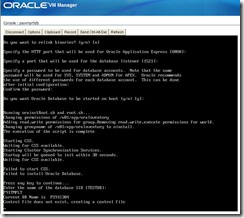
Here below, we observe the same CSS error as before for the HCM9.1 template, that fails, but it is not an issue for the next steps :
It continues, give the database name
Few notes :
1.1. Well, so far so good despite I choose automatic startup of the database (see screenshot above), the database does not start on the server boot (same as HCM9.1).
1.2. Note, the service is your_db_name.us.oracle.com :
[oracle@psovmpsdb ~]$ lsnrctl status
LSNRCTL for Linux: Version 11.1.0.7.0 - Production on 03-AUG-2010 13:04:20
Copyright (c) 1991, 2008, Oracle. All rights reserved.
Connecting to (DESCRIPTION=(ADDRESS=(PROTOCOL=TCP)(HOST=psovmpsdb)(PORT=1521)))
STATUS of the LISTENER
------------------------
Alias LISTENER
Version TNSLSNR for Linux: Version 11.1.0.7.0 - Production
Start Date 03-AUG-2010 12:28:15
Uptime 0 days 0 hr. 36 min. 5 sec
Trace Level off
Security ON: Local OS Authentication
SNMP OFF
Listener Parameter File /u01/app/oracle/product/11.1.0/db_1/network/admin/listener.ora
Listener Log File /u01/app/oracle/product/11.1.0/db_1/log/diag/tnslsnr/psovmpsdb/listener/alert/log.xml
Listening Endpoints Summary...
(DESCRIPTION=(ADDRESS=(PROTOCOL=tcp)(HOST=psovmpsdb)(PORT=1521)))
(DESCRIPTION=(ADDRESS=(PROTOCOL=ipc)(KEY=EXTPROC1521)))
Services Summary...
Service "P91TMPLT.us.oracle.com" has 1 instance(s).
Instance "P91TMPLT", status READY, has 1 handler(s) for this service...
Service "P91TMPLT_XPT.us.oracle.com" has 1 instance(s).
Instance "P91TMPLT", status READY, has 1 handler(s) for this service...
Service "XDB.us.oracle.com" has 1 instance(s).
Instance "P91TMPLT", status READY, has 1 handler(s) for this service...
The command completed successfully
[oracle@psovmpsdb ~]$
1.3. SYSADM’s password is in upper case :
C:\>sqlplus sysadm/sysadm@p91tmplt
SQL*Plus: Release 11.1.0.7.0 - Production on Tue Aug 3 22:04:49 2010
Copyright (c) 1982, 2008, Oracle. All rights reserved.
ERROR:
ORA-01017: invalid username/password; logon denied
Enter user-name:
C:\>sqlplus sysadm/SYSADM@p91tmplt
SQL*Plus: Release 11.1.0.7.0 - Production on Tue Aug 3 22:04:56 2010
Copyright (c) 1982, 2008, Oracle. All rights reserved.
1.4. Language installed is only English :
SQL> select language_cd from pslanguages where installed=1;
LAN
---
ENG
1.5. The default profile of SYSADM and PEOPLE users expires password the 23-AUG-2010 :
SQL> select username,account_status,expiry_date,profile
2 from dba_users
3 where username in ('PEOPLE','SYSADM');
USERNAME ACCOUNT_STATUS EXPIRY_DA PROFILE
------------------------------ -------------------------------- --------- ---------
PEOPLE OPEN 23-AUG-10 DEFAULT
SYSADM OPEN 23-AUG-10 DEFAULT
SQL> select *
2 from dba_profiles
3 where profile='DEFAULT'
4 and limit is not null
5 and limit ! ='UNLIMITED';
PROFILE RESOURCE_NAME RESOURCE LIMIT
------------------------------ -------------------------------- -------- ----------
DEFAULT FAILED_LOGIN_ATTEMPTS PASSWORD 10
DEFAULT PASSWORD_VERIFY_FUNCTION PASSWORD NULL
DEFAULT PASSWORD_GRACE_TIME PASSWORD 7
DEFAULT PASSWORD_LIFE_TIME PASSWORD 180
DEFAULT PASSWORD_LOCK_TIME PASSWORD 1
SQL> alter profile default limit
2 failed_login_attempts unlimited
3 password_life_time unlimited
4 password_lock_time unlimited
5 password_grace_time unlimited;
Profile altered.
SQL> select *
2 from dba_profiles
3 where profile='DEFAULT'
4 and limit is not null
5 and limit ! ='UNLIMITED';
PROFILE RESOURCE_NAME RESOURCE LIMIT
------------------------------ -------------------------------- -------- -----
DEFAULT PASSWORD_VERIFY_FUNCTION PASSWORD NULL
2. The App/Batch/PIA server
Select the VM and click on start
Then on console (be fast otherwise it will be configured as DHCP you certainly don’t want).
Enter the password defined earlier when you created the template :
Here it will continue if you want :
Well done, AppServer AND process scheduler start on the first shot :
It will continue by the Webserver if you want :
Done, we get the login page as expected :
Much appreciated, and really, except posting report, all works on the first shot ! Really well done !
The few errors revealed within HCM9.1 template has been solved (db connection, kernel settings…).
Now to be able to post report, you should do small effort on your own, create a report node repository and attached to the process server defined :
Note : the local node is already password configured (again one more improvement compared to the HCM9.1).
Everything should post correctly now :
There is one problem I encountered, I don’t know if this is Peoletools related (here it is 8.50.09) but it is rather annoying, and since I don’t have any other other env. in the same Peopletools release, I cannot reproduce somewhere else.
When I enter a text in any lookup field, I receive a Internet Explorer error :
Same issue in the role page of a user :
I’m sure this is not coming from template, but still….
Addendum : it seems to be an error introduced within Peopletools 8.50.07/08, here on OTN forum, a workaround to fix that issue (with TYPEAHD) given by Greg Kelly from Peopletools team. You could also have a look in MOS note #1147744.1 which describe the way to deactivate it.
Nicolas.
Oracle patchset 10.2.0.5 recut (Linux 32bit)
Important note for those who work on Linux 32bit, the patchset 10.2.0.5 has been recut and few fixes has been added to the original package dated from 30-APR-2010.
Do not forget to download it again to be sure to work on the latest version.
Read the note 1156958.1 for more information, this is only for 32bit version of Linux.
Nicolas.
Tuesday, August 03, 2010
Oracle Database Vault and Peoplesoft
If you want to secure and close down your database to all the non-authorized people, especially not seeing the data inside the database, what’s better than Database Vault ? Nothing.
And this is more and more right, especially on financial database or even on HR system hosting the salary and a lot of confidential information about the employees of the company. So, what’s refrain to use Database Vault ? Nothing. Almost nothing. Till 10gR2, Database Vault was an additional option to download and install onto the Oracle home directory, from 11g, it is included in the standard package, no need anymore additional software install.
For Peoplesoft however, you’ll need an additional component dedicated to Peoplesoft to create all the required policies.
Installation
I’m not going to describe all the installation steps, but there are several constraints when installing Database Vault, have a dedicated Oracle home, have EM Console, have one database (declared in /etc/oratab) to name few (note, at least in 10gR2 ASM is not supported by DBVault), but you can find everything in the well documented link.
Implementation
Once the Database Vault has been installed, you’ll need to apply it onto the database, following the installation through the dvca (Database Vault Creation Assistant).
Some new users are created to manage the database vault policies, owner and manager (you can decide to have only the owner). Only them can allow other users to do something on the database.
Peoplesoft package
Once your database has been “vaulted”, you have to install the dedicated Peoplesoft packages pointed above in the download page.
Maintenance
Whether the installation process might fail for several reasons, and it is not always easy to figure out why (the messages are not really clear), as long as you read very carefully the document, this is rather simple. As soon has the database is vaulted and Peoplesoft packages installed, no one else than SYSADM (the Peoplesoft objects’ owner) can see the data (even SYS/SYSTEM are “blind”). And more than that, SYSADM cannot connect through SQL*Plus (or any other non-Peoplesoft tools) to see data. Happy ? Well, yes and no.
In the documentation coming within the Peoplesoft package, it is clearly explained that a new user – PSFTDBA – has been created and authorized to do all the maintenance tasks in place of SYSADM through SQL*Plus for instance.
PSFTDBA can create/drop/alter objects in SYSADM’s with the ALTER SESSION SET SCHEMA=SYSADM. But again to be respectful to the vault policies, PSFTDBA is not able to select data from SYSADM. Very easy.
But for who know the Peoplesoft project build, that is not so simple. Most of the time, the “project build” generate script within CTAS (Create Table As Select) which obviously cannot work in that database vault context. So what ?
The only one known workaround is to ask to the database vault owner (or manager) to deactivate the PSFTDBA restriction, he can then select data from SYSADM, run the script and reactivate the restriction… It is rather against the rules, isn’t it ? If we have to disable the vault to apply project, nothing refrain to see data anymore.
I’d be curious if someone has already implemented Database Vault on a Peoplesoft database and how they are managing it. Feel free to comment out.
Enjoy it,
Nicolas.
Friday, July 16, 2010
About the PSU July 2010
Friday, June 18, 2010
A GoldenGate database for Peoplesoft reports
I came across a very interesting MOS note, Deploying Oracle GoldenGate to Achieve Operational Reporting for PeopleSoft [ID 1114746.1]. It explains how build a GoldenGate (replication) database dedicated to Process Scheduler reports, instead of running reports on the primary database.
It takes full advantages of GoldenGate compared to a classic replication like standby database mechanism.
Indeed, GoldenGate allows us :
1) to replicate only a set of tables from source : who knows Peoplesoft database can realize the benefits in terms of space saving on secondary site.
2) to replicate in both directions, from primary to secondary site, but also from secondary to primary : this will be used to run a Process Scheduler on the secondary site, the tables containing the process submission will be replicated from primary to secondary, this will be checked by the Process Scheduler running on the secondary site and it will fire the process. Finally, as soon as the process is done on secondary site, the results are send back to the primary by the replication from secondary to the primary site.
Furthermore, some heavy reports can implies a lot of work regarding the queries and database tuning, and some specifics needs you would avoid on your primary database (bigger temporary tablespace, additional indexes…). So, if you have heavy report managed by the Process Scheduler to run, you could freed your database of this amount of reporting work.
Very well done, well explained in details (including what tables have to be replicated and/or excluded in what direction), this document is worth to read.
Nicolas.
Wednesday, June 16, 2010
Peoplesoft load without segments
As discussed few months ago here, Oracle 11gR2 offers the possibility to create table without segment. Particularly interesting on Peoplesoft database to drop down the size of the occupied size in the database, as I explained it is difficult to get rid off segment on existing table, but what happens on a new database load for a first Peopletools installation ?
Everything works as expected, after doing a database creation, just be sure to set the parameter deferred_segment_creation to TRUE on system level before the very first DataMover load :
SQL> show parameter deferred_segment_creation
NAME TYPE VALUE
------------------------------------ ----------- ------------------------------
deferred_segment_creation boolean TRUE
SQL>
Then, after load, a quick check shows a lot of tables are empty (HCM9.1/Peopletools 8.50) :
SQL> select count(*) from user_tables where num_rows = 0;
COUNT(*)
----------
12101
But how many of them have a segment ?
SQL> select count(*)
2 from user_tables,dba_segments
3 where num_rows = 0
4 and segment_type='TABLE'
5 and table_name=segment_name;
COUNT(*)
----------
0
Yeah, actually none of the empty tables have segment !
Now to get rid of segment on existing table, what about export and import through DataMover ?
Just found a table with few rows, and truncate it (just for my test) :
SQL> truncate table PS_AA_COST_RT_JPN;
Table truncated.
SQL> select count(*) from dba_segments where segment_name='PS_AA_COST_RT_JPN' and segment_type='TABLE';
COUNT(*)
----------
1
Then with DMS, connect as PS and export the table :
Finally, import with REPLACE_ALL option :
Let’s check what happened on database side :
SQL> select count(*) from user_tables where table_name='PS_AA_COST_RT_JPN';
COUNT(*)
----------
1
SQL> select count(*) from dba_segments where segment_name='PS_AA_COST_RT_JPN' and segment_type='TABLE';
COUNT(*)
----------
0
Yeap, no more segment. So, finally, if you have an existing Peoplesoft database, and think about an upgrade to 11gR2, maybe a DataMover export and re-import of all the empty tables has to be considered (maybe that’s easier than “rebuild” everything through AppDesigner).
Nicolas.
Sunday, May 16, 2010
CentOS 5.5 (and VMWare 2.0.2)
Yesterday the CentOS version 5.5 has been released. It is only few weeks after the Red Hat 5.5, this last update of CentOS was rather quick compared to the previous one.
So, time to try it.
I was especially looking for a solution for the issue I got within VMWare 2.0.2 on CentOS 5.4 as I described few months ago here.
So, before the upgrade I dropped the extra file I used to workaround the issue (please, read the article linked above), then after running a simple “yum list updates” and “yum update”, the system is upgraded :
[root@hercules /root]# rpm -q centos-release
centos-release-5-5.el5.centos
[root@hercules /root]#
I bounced the server, then run a “vmware-config.pl” from VMWare software binaries, and eventually everything is working fine. The system is stable, the VMWare webserver is not hanging and works fine. No need anymore the workaround needed on CentOS5.4 to downgrade some of the packages…
Thanks to the CentOS team for their hard work and to deliver this update so fast !
Nicolas.
Update (17-May-2010) : you may still have issues on some circumstances… please, read my comment below.
Monday, April 05, 2010
Oracle 11gR2 for Windows
About seven months after the Linux version of Oracle 11gR2, the version for Windows has been released last Friday.
So far, only the 64-bit edition is available, too bad for the 32-bit compliant only application, like Peoplesoft on Windows. Need to wait a little bit more for the 32-bit client on Windows. It still needs to have a previous version 32-bit, that’s rather annoying to have a discrepancy between client and server version. Well, the documentation for the 32-bit is already there, so it should come soon.
Anyway, for those who want to play with 11gR2 on Windows, here below you can download :
http://www.oracle.com/technology/software/products/database/index.html
PS (06-APR-2010) : it was not that long to wait, the 32-bit version is now available from the same link above.
New blog entry tool
This is a new blog entry test done with a new (new for me) offline blog tool.
With a screenshot above.
All done with Windows Live Writer.
Just to test it. The most annoying thing with this is probably the new paragraph created when type “enter”, it is not a simple carriage return. The workaround is to modify the HTML code, remove the tags <p> and </p> and insert a <br> at the end of the line. But at least it is time and nerves saving compared with the too basic default one from Blogspot.
this is a test of code appearance
----------------------------------------------
Quick-configure menu -- domain: DMOHRMS9
----------------------------------------------
Features Settings
========== ==========
1) Pub/Sub Servers : Yes 15) DBNAME :[DMOHRMS9]
2) Quick Server : No 16) DBTYPE :[ORACLE]
3) Query Servers : No 17) UserId :[PS]
4) Jolt : Yes 18) UserPswd :[PS]
5) Jolt Relay : No 19) DomainID :[DMOHRMS9]
6) WSL : Yes 20) AddToPATH :[/apps/oracle/product/11.1.0]
7) PC Debugger : No 21) ConnectID :[people]
8) Event Notification: No 22) ConnectPswd:[peop1e]
9) MCF Servers : No 23) ServerName :[]
10) Perf Collator : No 24) WSL Port :[7000]
11) Analytic Servers : No 25) JSL Port :[9000]
12) Domains Gateway : No 26) JRAD Port :[9100]
PSAPPSRV.8363 (0) [04/04/10 16:12:23](1) GenMessageBox(200, 0, M): PS General SQL Routines: Missing or invalid version of SQL library libpsora (200,0)
PSAPPSRV.8363 (0) [04/04/10 16:12:23](1) GenMessageBox(0, 0, M): Database Signon: Could not sign on to database DMOHRMS9 with user PS.
PSAPPSRV.8363 (0) [04/04/10 16:12:23](0) Server failed to start
Nicolas.
Sunday, April 04, 2010
Troubleshooting : process scheduler and distribution
Note I said "must work", and not the other way around, if a combination is not certified, it does not necessarily mean it does not work, but at least if it is certified it must work.
The first two components to check are the OS wordsize and the database client version (32 or 64 bit). Depending of your Peopletools version, this could be very different, from a certification point of view as well as from a working point of view.
And this two points are not exclusive to the process scheduler, but are also valid for AppServer, that's why tests below could also contain example with AppServer as well as Prcs.
1. The OS wordsize
I don't have any troubleshoot tests cases, but I assume it must be easy to be respectful of this constraint.
Two situations Peopletools 8.49 :
=> Before Peopletools 8.49.14 : Linux 32bit only is certified
=> From Peopletools 8.49.14+ : Linux 64bit is also certified
Only one certification path with Peopletools 8.50 :
=> Peopletools 8.50.xx : 64bit only is certified (regardless the OS, Unix, Linux and Windows)
2. The database client libraries
2.1 Peopletools 8.49 (and below)
Whatever the wordsize of the OS the Peopletools are running on, it must use the Oracle 32bit libraries.
Here we can distinguished two cases, before Oracle 11gR2 and from 11gR2.
2.1.1 Before 11gR2
Here a test case with Peopletools 8.49.20 working with Oracle 11.1.0.7 64-bit on Linux OEL 5.3 64-bit. The test below is being with AppServer, but this is exactly the same with Process Scheduler.
[oracle@orion2:/apps/oracle/product/11.1.0/bin]$ file oracleWe can check the stderr file from the domain we are trying to start :
oracle: setuid setgid ELF 64-bit LSB executable, AMD x86-64, version 1 (SYSV), for GNU/Linux 2.6.9, dynamically linked (uses shared libs), for GNU/Linux 2.6.9, not stripped
[oracle@orion2:/apps/oracle/product/11.1.0/bin]$
----------------------------------------------
Quick-configure menu -- domain: DMOHRMS9
----------------------------------------------
Features Settings
========== ==========
1) Pub/Sub Servers : Yes 15) DBNAME :[DMOHRMS9]
2) Quick Server : No 16) DBTYPE :[ORACLE]
3) Query Servers : No 17) UserId :[PS]
4) Jolt : Yes 18) UserPswd :[PS]
5) Jolt Relay : No 19) DomainID :[DMOHRMS9]
6) WSL : Yes 20) AddToPATH :[/apps/oracle/product/11.1.0]
7) PC Debugger : No 21) ConnectID :[people]
8) Event Notification: No 22) ConnectPswd:[peop1e]
9) MCF Servers : No 23) ServerName :[]
10) Perf Collator : No 24) WSL Port :[7000]
11) Analytic Servers : No 25) JSL Port :[9000]
12) Domains Gateway : No 26) JRAD Port :[9100]
...
Booting server processes ...
exec PSWATCHSRV -A -- -ID 114790 -C psappsrv.cfg -D DMOHRMS9 -S PSWATCHSRV :
process id=8362 ... Started.
exec PSAPPSRV -s@../psappsrv.lst -s@../psqcksrv.lst -sICQuery -sSqlQuery:SqlRequest -- -C psappsrv.cfg -D DMOHRMS9 -S PSAPPSRV :
CMDTUX_CAT:1685: ERROR: Application initialization failure
tmboot: CMDTUX_CAT:827: ERROR: Fatal error encountered; initiating user error handler
exec tmshutdown -qy
==============ERROR!================
Boot attempt encountered errors!. Check the TUXEDO log for details.
==============ERROR!================
Do you wish to see the error messages in the APPSRV.LOG file? (y/n) [n] :y
PSADMIN.8321 (0) [04/04/10 16:12:14](0) Begin boot attempt on domain DMOHRMS9
PSWATCHSRV.8362 (0) [04/04/10 16:12:22] Checking process status every 120 seconds
PSWATCHSRV.8362 (0) [04/04/10 16:12:22] Server started
PSAPPSRV.8363 (0) [04/04/10 16:12:22](0) PeopleTools Release 8.49.20 (Linux) starting
PSAPPSRV.8363 (0) [04/04/10 16:12:23](0) Cache Directory being used: /apps/psoft/hrms9/appserv/DMOHRMS9/CACHE/PSAPPSRV_1/
PSAPPSRV.8363 (0) [04/04/10 16:12:23](1) GenMessageBox(200, 0, M): PS General SQL Routines: Missing or invalid version of SQL library libpsora (200,0)
PSAPPSRV.8363 (0) [04/04/10 16:12:23](1) GenMessageBox(0, 0, M): Database Signon: Could not sign on to database DMOHRMS9 with user PS.
PSAPPSRV.8363 (0) [04/04/10 16:12:23](0) Server failed to start
PSWATCHSRV.8362 (0) [04/04/10 16:12:24] Shutting down
PSADMIN.8321 (0) [04/04/10 16:12:30](0) End boot attempt on domain DMOHRMS9
Do you wish to see the error messages in the TUXLOG.040410 file? (y/n) [n] :
[hrms9@orion2:/apps/psoft/hrms9/appserv/DMOHRMS9]$ more stderrAs suggested in the certification matrix on My Oracle Support, a symbolic link must be created to workaround this. The Oracle is a 64-bit, but we can use the lib32 libraries :
dlopen in libpscompat failed for 'libpsora.so': libclntsh.so.9.0: cannot open shared object file: No such file or directory
[oracle@orion2:/apps/oracle/product/11.1.0/lib]$ ln -s /apps/oracle/product/11.1.0/lib32/libclntsh.so.11.1 libclntsh.so.9.0And restart the AppServer works fine :
Booting server processes ...2.1.2 With 11gR2
exec PSWATCHSRV -A -- -ID 114790 -C psappsrv.cfg -D DMOHRMS9 -S PSWATCHSRV :
process id=8460 ... Started.
exec PSAPPSRV -s@../psappsrv.lst -s@../psqcksrv.lst -sICQuery -sSqlQuery:SqlRequest -- -C psappsrv.cfg -D DMOHRMS9 -S PSAPPSRV :
process id=8462 ... Started
....
15 processes started.
Here a test case with Peopletools 8.49.20 working with Oracle 11.2.0.1 64-bit on Linux OEL 5.3 64-bit.
Booting admin processes ...And the stderr file :
exec BBL -A :
process id=8992 ... Started.
Booting server processes ...
exec PSMSTPRC -A -- -C psprcs.cfg -CD DMOHRMS9 -PS PSUNX -A start -S PSMSTPRC :
CMDTUX_CAT:1685: ERROR: Application initialization failure
tmboot: CMDTUX_CAT:827: ERROR: Fatal error encountered; initiating user error handler
exec tmshutdown -y
Shutting down all admin and server processes in /apps/psoft/hrms9/appserv/prcs/DMOHRMS9/PSTUXCFG
Shutting down server processes ...
Shutting down admin processes ...
Server Id = 0 Group Id = orion2.phoenix-nga Machine = orion2.phoenix-nga: shutdown succeeded
1 process stopped.
[hrms9@orion2:/apps/psoft/hrms9/appserv/prcs/DMOHRMS9]$ more stderrWithin Oracle 11gR2 64-bit, there is no 32-bit libraries (as I described here), so we can try the symbolic link as above, but it will not work :
dlopen in libpscompat failed for 'libpsora.so': libclntsh.so.9.0: cannot open shared object file: No such file or directory
[oracle@orion2:/apps/oracle/product/11.2.0/lib]$ ln -s libclntsh.so.11.1 libclntsh.so.9.0As expected, that does not work, the 64-bit libraries are not accepted by Peopletools 8.49.xx.
...
Booting server processes ...
exec PSWATCHSRV -A -- -ID 111990 -C psappsrv.cfg -D DMOHRMS9 -S PSWATCHSRV :
process id=7625 ... Started.
exec PSAPPSRV -s@../psappsrv.lst -s@../psqcksrv.lst -sICQuery -sSqlQuery:SqlRequest -- -C psappsrv.cfg -D DMOHRMS9 -S PSAPPSRV :
CMDTUX_CAT:1685: ERROR: Application initialization failure
tmboot: CMDTUX_CAT:827: ERROR: Fatal error encountered; initiating user error handler
exec tmshutdown -qy
==============ERROR!================
Boot attempt encountered errors!. Check the TUXEDO log for details.
==============ERROR!================
Do you wish to see the error messages in the APPSRV.LOG file? (y/n) [n] :y
PSADMIN.7615 (0) [04/04/10 16:00:30](0) Begin boot attempt on domain DMOHRMS9
PSWATCHSRV.7625 (0) [04/04/10 16:00:38] Checking process status every 120 seconds
PSWATCHSRV.7625 (0) [04/04/10 16:00:38] Server started
PSAPPSRV.7626 (0) [04/04/10 16:00:39](0) PeopleTools Release 8.49.20 (Linux) starting
PSAPPSRV.7626 (0) [04/04/10 16:00:39](0) Cache Directory being used: /apps/psoft/hrms9/appserv/DMOHRMS9/CACHE/PSAPPSRV_1/
PSAPPSRV.7626 (0) [04/04/10 16:00:39](1) GenMessageBox(200, 0, M): PS General SQL Routines: Missing or invalid version of SQL library libpsora (200,0)
PSAPPSRV.7626 (0) [04/04/10 16:00:39](1) GenMessageBox(0, 0, M): Database Signon: Could not sign on to database DMOHRMS9 with user PS.
PSAPPSRV.7626 (0) [04/04/10 16:00:39](0) Server failed to start
PSWATCHSRV.7625 (0) [04/04/10 16:00:40] Shutting down
PSADMIN.7615 (0) [04/04/10 16:00:46](0) End boot attempt on domain DMOHRMS9
Do you wish to see the error messages in the TUXLOG.040410 file? (y/n) [n] :
...
[hrms9@orion2:/apps/psoft/hrms9/appserv/DMOHRMS9]$ more stderr
dlopen in libpscompat failed for 'libpsora.so': libclntsh.so.9.0: wrong ELF class: ELFCLASS64
A real client 32-bit must be installed, and linked to the AppServer and Process Scheduler.
After that install, reconfigure the domain, everything is started :
----------------------------------------------2.2 Peopletools 8.50
Quick-configure menu -- domain: DMOHRMS9
----------------------------------------------
Features Settings
========== ==========
1) Pub/Sub Servers : Yes 15) DBNAME :[DMOHRMS9]
2) Quick Server : No 16) DBTYPE :[ORACLE]
3) Query Servers : No 17) UserId :[PS]
4) Jolt : Yes 18) UserPswd :[PS]
5) Jolt Relay : No 19) DomainID :[DMOHRMS9]
6) WSL : Yes 20) AddToPATH :[/apps/oracle/product/11.2.0_client_32bit]
7) PC Debugger : No 21) ConnectID :[people]
8) Event Notification: No 22) ConnectPswd:[peop1e]
9) MCF Servers : No 23) ServerName :[]
10) Perf Collator : No 24) WSL Port :[7000]
11) Analytic Servers : No 25) JSL Port :[9000]
12) Domains Gateway : No 26) JRAD Port :[9100]
Actions
=========
13) Load config as shown
14) Custom configuration
h) Help for this menu
q) Return to previous menu
HINT: Enter 15 to edit DBNAME, then 13 to load
Enter selection (1-26, h, or q):
Booting server processes ...
exec PSWATCHSRV -A -- -ID 184396 -C psappsrv.cfg -D DMOHRMS9 -S PSWATCHSRV :
process id=7907 ... Started.
exec PSAPPSRV -s@../psappsrv.lst -s@../psqcksrv.lst -sICQuery -sSqlQuery:SqlRequest -- -C psappsrv.cfg -D DMOHRMS9 -S PSAPPSRV :
process id=7908 ... Started.
...
15 processes started.
2.2.3 Linux
On Linux, Peopletools 8.50 is fully certified to run on Oracle 64-bit client. At least on Linux, there is no issue anymore, 32 or 64-bit client should be ok. No need anymore the symbolic link workaround described above for previous Peopletools version, and no extra client need.
2.2.2 Windows
On Windows, however, it is a bit confusing. Once again, Peopletools 8.50 (Apps/Batch) are certified only on 64-bit OS server. But, the database client must be a 32-bit.
Let's see.
=> Oracle client 64bit libraries
Here a test with Peopletools 8.50.02, start process scheduler on W2k8 64bit, and Oracle 10.2.0.4 64-bit.
Booting admin processes ...As expected, that does not start and as usual, first file to check, stderr :
exec BBL -A :
process id=2448 ... Started.
Booting server processes ...
exec PSMSTPRC -o ".\LOGS\stdout" -e ".\LOGS\stderr" -A -- -CD h92tmplt -PS PSNT -A start -S PSMSTPRC :
CMDTUX_CAT:1685: ERROR: Application initialization failure
tmboot: CMDTUX_CAT:827: ERROR: Fatal error encountered; initiating user error handler
tmshutdown -y
Shutting down all admin and server processes in F:\appl\pt85002\appserv\prcs\h92tmplt\PSTUXCFG
Shutting down server processes ...
Shutting down admin processes ...
Server Id = 0 Group Id = ANTLIA Machine = ANTLIA: shutdown succeeded
1 process stopped.
LoadLibraryA() in pscompat.dll failed for 'PSORA.dll': reason=126Well, not very helpful message, but seeing closer the configuration, the given DBBIN did not includ the \bin directory. It should, let's change it :
Do you want to change any values (y/n)? [n]:y
PrcsServerName [PSNT]:
DBBIN [F:\appl\oracle\10.2.0.4\server_64bit]:F:\appl\oracle\10.2.0.4\server_64bit\bin
Max Reconnect Attempt [12]:
New error on prcs start, stderr file is now :
LoadLibraryA() in pscompat.dll failed for 'PSORA.dll': reason=193Not helpful neither to define that's a client wordsize error...=> Oracle client 32bit libraries
Let's change now the client to a 32-vit one installed onto the same server :
...And boot start process scheduler :
Do you want to change any values (y/n)? [n]:y
PrcsServerName [PSNT]:
DBBIN [F:\appl\oracle\10.2.0.4\server_64bit\BIN]:F:\appl\oracle\10.2.0.4\client_32bit\BIN
Max Reconnect Attempt [12]:
Reconnection Interval [300]:
...
Booting admin processes ...Ok, it is started now.
exec BBL -A :
process id=1152 ... Started.
Booting server processes ...
exec PSMSTPRC -o ".\LOGS\stdout" -e ".\LOGS\stderr" -A -- -CD h91tmplt -PS PSNT -A start -S PSMSTPRC :
process id=2476 ... Started.
exec PSAESRV -o ".\LOGS\stdout" -e ".\LOGS\stderr" -- -CD h91tmplt -S PSAESRV :
process id=2244 ... Started.
...
8 processes started.
This first part could be very disapointing sometimes and time spending, until to be very cautious before starting a Peoplesoft installation.
Note : all the tests below have been done from a W2k8 64bit workstation, on Peopletools 8.50.02 , Peoplesoft OVM database server (Peopletools 8.50.02/HCM9.1), Peoplesoft OVM App/Batch server (Peopletools 8.50.02) and Peoplesoft OVM PIA server (Peopletools 8.50.02).
3. The user to be used
A very basic user as been created onto the database (through the front end application, no role, no permission).
And a new process scheduler created and configured to be started with that user.
The prcs failed to start :
------------------------------------------------------------Unfortunately, in that case either, nothing helpful from the log files :
Quick-configure menu -- Scheduler for Database: h91tmplt
------------------------------------------------------------
Features Settings
========== ==========
1) Master Schdlr : Yes 5) DBNAME :[h91tmplt]
2) App Eng Server : Yes 6) DBTYPE :[ORACLE]
7) PrcsServer :[PSUNX]
8) UserId :[user_prcs]
9) UserPswd :[user_prcs]
10) ConnectID :[people]
11) ConnectPswd:[peop1e]
12) ServerName :[]
Actions 13) Log/Output Dir:[%PS_SERVDIR%/log_output]
========= 14) SQRBIN :[%PS_HOME%/bin/sqr/%PS_DB%/bin]
3) Load config as shown 15) AddToPATH :[%PS_HOME%/cblbin]
4) Custom configuration
h) Help for this menu
q) Return to previous menu
...
Starting Process Scheduler Server PSUNX for Database h91tmplt ...
Booting all admin and server processes in /home/psadm2/ps/pt/8.50/appserv/prcs/h91tmplt/PSTUXCFG
INFO: Oracle Tuxedo, Version 10.3.0.0, 64-bit, Patch Level (none)
Booting admin processes ...
exec BBL -A :
process id=1970 ... Started.
Booting server processes ...
exec PSMSTPRC -o ./LOGS/stdout -e ./LOGS/stderr -A -- -CD h91tmplt -PS PSUNX -A start -S PSMSTPRC :
CMDTUX_CAT:1685: ERROR: Application initialization failure
tmboot: CMDTUX_CAT:827: ERROR: Fatal error encountered; initiating user error handler
exec tmshutdown -y
Shutting down all admin and server processes in /home/psadm2/ps/pt/8.50/appserv/prcs/h91tmplt/PSTUXCFG
Shutting down server processes ...
Shutting down admin processes ...
Server Id = 0 Group Id = psovmab.phoenix.nga Machine = psovmab.phoenix.nga: shutdown succeeded
1 process stopped.
[psadm2@psovmab ps]$ cd pt/8.50/appserv/prcs/h91tmplt/And set some trace level does not help neither. There is a missing ROLE for that user user_prcs defined to managed the prcs : AppServer Administrator
[psadm2@psovmab h91tmplt]$ ls
Archive CACHE LOGS PSTUXCFG files log_output psprcs.cfg psprcsrv.cfx psprcsrv.env psprcsrv.ubb psprcsrv.ubx psprcsrv.val psstat.in
[psadm2@psovmab h91tmplt]$ cd LOGS
[psadm2@psovmab LOGS]$ ls -lrt
total 24
-rw-r--r-- 1 psadm2 oracle 0 Apr 4 15:44 stdout
-rw-r--r-- 1 psadm2 oracle 0 Apr 4 15:44 stderr
-rw-r--r-- 1 psadm2 oracle 315 Apr 4 15:44 MSTRSCHDLR_0404.LOG
-rw-r--r-- 1 psadm2 oracle 1369 Apr 4 15:44 TUXLOG.040410
[psadm2@psovmab LOGS]$ more TUXLOG.040410
154435.psovmab.phoenix.nga!tmloadcf.1966.3461187040.-2: 04-04-2010: client high water (0), total client (0)
154435.psovmab.phoenix.nga!tmloadcf.1966.3461187040.-2: 04-04-2010: Tuxedo Version 10.3.0.0, 64-bit
154435.psovmab.phoenix.nga!tmloadcf.1966.3461187040.-2: CMDTUX_CAT:879: INFO: A new file system has been created. (size = 980 512-byte blocks)
154435.psovmab.phoenix.nga!tmloadcf.1966.3461187040.-2: CMDTUX_CAT:871: INFO: TUXCONFIG file /home/psadm2/ps/pt/8.50/appserv/prcs/h91tmplt/PSTUXCFG has been created
154443.psovmab.phoenix.nga!BBL.1970.2525654112.0: 04-04-2010: Tuxedo Version 10.3.0.0, 64-bit, Patch Level (none)
154443.psovmab.phoenix.nga!BBL.1970.2525654112.0: LIBTUX_CAT:262: INFO: Standard main starting
154443.psovmab.phoenix.nga!PSMSTPRC.1971.4055057680.-2: 04-04-2010: Tuxedo Version 10.3.0.0, 64-bit
154443.psovmab.phoenix.nga!PSMSTPRC.1971.4055057680.-2: LIBTUX_CAT:262: INFO: Standard main starting
154444.psovmab.phoenix.nga!PSMSTPRC.1971.4055057680.-2: LIBTUX_CAT:250: ERROR: tpsvrinit() failed
154444.psovmab.phoenix.nga!tmboot.1969.236119584.-2: 04-04-2010: Tuxedo Version 10.3.0.0, 64-bit
154444.psovmab.phoenix.nga!tmboot.1969.236119584.-2: tmboot: CMDTUX_CAT:827: ERROR: Fatal error encountered; initiating user error handler
154447.psovmab.phoenix.nga!BBL.1970.2525654112.0: CMDTUX_CAT:26: INFO: The BBL is exiting system
[psadm2@psovmab LOGS]$ more MSTRSCHDLR_0404.LOG
PSMSTPRC.1971 (0) [04/04/10 15:44:43](0) PeopleTools Release 8.50.02 (Linux) starting. Tuxedo server is BASE(1)/102
PSMSTPRC.1971 (0) [04/04/10 15:44:43](0) Cache Directory being used: /home/psadm2/ps/pt/8.50/appserv/prcs/h91tmplt/CACHE/PSMSTPRC_102/
PSMSTPRC.1971 (0) [04/04/10 15:44:44](0) Server failed to start
Once this ROLE is added to the user_prcs user, the process scheduler is able to boot.
From this point, it is assuming the process scheduler is started. The following will be about the possible distribution issues.
4. The report node definition
Since the process scheduler is booted, let's run a process (AEMINITEST is the simplest one).
It won't post, here message logs :
And the prcs logs files :[psadm2@psovmab LOGS]$ tail -20 stdoutOk, the Report node is missing, let's add one.
Process Type: Application Engine
=====================================================================
OprId = user_prcs
PS_TOKEN=qQAAAAQDAgEBAAAAvAIAAAAAAAAsAAAABABTaGRyAk4Acwg4AC4AMQAwABTz9QlIS4gf8bE/nzl4yBgXufOPHWkAAAAFAFNkYXRhXXicTYo9DkBQEIS/hygV7uGFRziBn0oEvUL0QtzO4QyVTb6Z2Z09gcD3jJHfHt/EFycbBwu7dNUW1vS0RAMTDbOajpHCkZKJRBQ/LbHkyhan3lLxfla6OHgAOKYNfw==
NULL HTTP response - check Report Repository web server. (63,70)
OprId = user_prcs
PS_TOKEN=pwAAAAQDAgEBAAAAvAIAAAAAAAAsAAAABABTaGRyAk4Acwg4AC4AMQAwABShoTHXH8OI+PFN7JZBHEtlDZDrAmcAAAAFAFNkYXRhW3icTYo7DkBQFETPQ5QK+yA8vxX4VCLoFaIXYncWZ6jcZM7M5M4JeK5jjPx2+C68ONk4WNjFVc2v6WkJBiYaZn06RnJLQipFUv5jSUym/LIQK6x29tvyADjODXs=
NULL HTTP response - check Report Repository web server. (63,70)
OprId = user_prcs
PS_TOKEN=qAAAAAQDAgEBAAAAvAIAAAAAAAAsAAAABABTaGRyAk4Acwg4AC4AMQAwABQP+W2bMOEOBikcFsPqiXpcc8FbrGgAAAAFAFNkYXRhXHicTYo7DkBQEEWPT5QK+/Di87ACn0oEvUL0QuzO4lwqk5z7mZkT8D3XceS3yzfRxcnGwcIuXdWCmp6WcGCiYdalY8RmJKQiFvanJYZc2VCoGSoy/b0bCw84wQ2A
NULL HTTP response - check Report Repository web server. (63,70)
=================================Error===============================
Message: Unable to post report/log file for Process Instance: 891, Report Id: 737
Process Name: AEMINITEST, Type: Application Engine
Description: Simple AE test program
Directory: /home/psadm2/ps/pt/8.50/appserv/prcs/h91tmplt/log_output/AE_AEMINITEST_891
=====================================================================
[psadm2@psovmab LOGS]$ tail -20 DSTAGNT_0404.LOG
PSDSTSRV.2600 (1) [04/04/10 16:34:22 PostReport](3) HTTP transfer error.
PSDSTSRV.2600 (1) [04/04/10 16:34:22 PostReport](3) Post Report Elapsed Time: 1.6900
PSDSTSRV.2600 (2) [04/04/10 16:34:35 PostReport](3) Number of new entries to process: 1
PSDSTSRV.2600 (2) [04/04/10 16:34:35 PostReport](3) 1. Process Instance: 891/Report Id: 737/Descr: Simple AE test program
PSDSTSRV.2600 (2) [04/04/10 16:34:35 PostReport](3) from directory: /home/psadm2/ps/pt/8.50/appserv/prcs/h91tmplt/log_output/AE_AEMINITEST_891
PSDSTSRV.2600 (2) [04/04/10 16:34:35 PostReport](1) PSJNI: Java exception thrown: java.io.IOException: Stream closed.
PSDSTSRV.2600 (2) [04/04/10 16:34:35 PostReport](3) HTTP transfer error.
PSDSTSRV.2600 (2) [04/04/10 16:34:35 PostReport](3) Post Report Elapsed Time: 0.0100
PSDSTSRV.2600 (3) [04/04/10 16:34:50 PostReport](3) Number of new entries to process: 1
PSDSTSRV.2600 (3) [04/04/10 16:34:50 PostReport](3) 1. Process Instance: 891/Report Id: 737/Descr: Simple AE test program
PSDSTSRV.2600 (3) [04/04/10 16:34:50 PostReport](3) from directory: /home/psadm2/ps/pt/8.50/appserv/prcs/h91tmplt/log_output/AE_AEMINITEST_891
PSDSTSRV.2600 (3) [04/04/10 16:34:50 PostReport](1) PSJNI: Java exception thrown: java.io.IOException: Stream closed.
PSDSTSRV.2600 (3) [04/04/10 16:34:50 PostReport](3) HTTP transfer error.
PSDSTSRV.2600 (3) [04/04/10 16:34:50 PostReport](3) Post Report Elapsed Time: 0.0200
PSDSTSRV.2600 (3) [04/04/10 16:34:50 PostReport](1) =================================Error===============================
PSDSTSRV.2600 (3) [04/04/10 16:34:50 PostReport](1) Unable to post report/log file for Process Instance: 891, Report Id: 737
PSDSTSRV.2600 (3) [04/04/10 16:34:50 PostReport](2) Process Name: AEMINITEST, Type: Application Engine
PSDSTSRV.2600 (3) [04/04/10 16:34:50 PostReport](2) Description: Simple AE test program
PSDSTSRV.2600 (3) [04/04/10 16:34:50 PostReport](2) Directory: /home/psadm2/ps/pt/8.50/appserv/prcs/h91tmplt/log_output/AE_AEMINITEST_891
PSDSTSRV.2600 (3) [04/04/10 16:34:50 PostReport](2) =====================================================================
[psadm2@psovmab LOGS]$
But after bouncing the prcs, re-send the content does not help. Next step.5. The local node definition
Now the error is a littel bit different :
[psadm2@psovmab LOGS]$ tail -20 stdoutThe local node must be trusted
The XML file returned by the web server is invalid. (63,94)
XML document object creation failed. (63,102)
Unable to process HTTP reply from Report Repository. (63,73)
OprId = user_prcs
PS_TOKEN=pwAAAAQDAgEBAAAAvAIAAAAAAAAsAAAABABTaGRyAk4Acwg4AC4AMQAwABRNcCgBNFm41dbNd6td8xOUAsInWGcAAAAFAFNkYXRhW3icTYk7DkBAAESfT5QK9yAsNnEAn0oEvUL0YuN2DmeiMsm8ycw4IAx8z1M+Pp+SG8fBxcYp7mpRy0hPPLHQseoZmKkMOYWcytWPlowa87EWDaXWRmnhBTkBDYY=
The XML file returned by the web server is invalid. (63,94)
XML document object creation failed. (63,102)
Unable to process HTTP reply from Report Repository. (63,73)
=================================Error===============================
Message: Unable to post report/log file for Process Instance: 891, Report Id: 737
Process Name: AEMINITEST, Type: Application Engine
Description: Simple AE test program
Directory: /home/psadm2/ps/pt/8.50/appserv/prcs/h91tmplt/log_output/AE_AEMINITEST_891
=====================================================================
[psadm2@psovmab LOGS]$ tail -20 DSTAGNT_0404.LOG
PSDSTSRV.2832 (1) [04/04/10 16:52:24 PostReport](3) PSJNI: Created a Java VM instance
PSDSTSRV.2832 (1) [04/04/10 16:52:24 PostReport](3) PSJNI: Set Context Class Loader
PSDSTSRV.2832 (1) [04/04/10 16:52:25 PostReport](3) HTTP transfer error.
PSDSTSRV.2832 (1) [04/04/10 16:52:25 PostReport](3) Post Report Elapsed Time: 0.8700
PSDSTSRV.2832 (2) [04/04/10 16:52:39 PostReport](3) Number of new entries to process: 1
PSDSTSRV.2832 (2) [04/04/10 16:52:39 PostReport](3) 1. Process Instance: 891/Report Id: 737/Descr: Simple AE test program
PSDSTSRV.2832 (2) [04/04/10 16:52:39 PostReport](3) from directory: /home/psadm2/ps/pt/8.50/appserv/prcs/h91tmplt/log_output/AE_AEMINITEST_891
PSDSTSRV.2832 (2) [04/04/10 16:52:39 PostReport](3) HTTP transfer error.
PSDSTSRV.2832 (2) [04/04/10 16:52:39 PostReport](3) Post Report Elapsed Time: 0.1000
PSDSTSRV.2832 (3) [04/04/10 16:52:54 PostReport](3) Number of new entries to process: 1
PSDSTSRV.2832 (3) [04/04/10 16:52:54 PostReport](3) 1. Process Instance: 891/Report Id: 737/Descr: Simple AE test program
PSDSTSRV.2832 (3) [04/04/10 16:52:54 PostReport](3) from directory: /home/psadm2/ps/pt/8.50/appserv/prcs/h91tmplt/log_output/AE_AEMINITEST_891
PSDSTSRV.2832 (3) [04/04/10 16:52:54 PostReport](3) HTTP transfer error.
PSDSTSRV.2832 (3) [04/04/10 16:52:54 PostReport](3) Post Report Elapsed Time: 0.0900
PSDSTSRV.2832 (3) [04/04/10 16:52:54 PostReport](1) =================================Error===============================
PSDSTSRV.2832 (3) [04/04/10 16:52:54 PostReport](1) Unable to post report/log file for Process Instance: 891, Report Id: 737
PSDSTSRV.2832 (3) [04/04/10 16:52:54 PostReport](2) Process Name: AEMINITEST, Type: Application Engine
PSDSTSRV.2832 (3) [04/04/10 16:52:54 PostReport](2) Description: Simple AE test program
PSDSTSRV.2832 (3) [04/04/10 16:52:54 PostReport](2) Directory: /home/psadm2/ps/pt/8.50/appserv/prcs/h91tmplt/log_output/AE_AEMINITEST_891
PSDSTSRV.2832 (3) [04/04/10 16:52:54 PostReport](2) =====================================================================
[psadm2@psovmab LOGS]$
And password authentication must be set.
After this setting and bounce the prcs, an other error to the next step.6. The missing role - ProcessSchedulerAdmin
Now the error is the following :
OprId = user_prcsLooks like we are close to the goal, but a right is missing, the role to post the report.
PS_TOKEN=pgAAAAQDAgEBAAAAvAIAAAAAAAAsAAAABABTaGRyAk4Acwg4AC4AMQAwABQ69uNPo1aucPuKHZaK64OrsLUWgmYAAAAFAFNkYXRhWnicTYk7DkBQFETPQ5QK+yD+nwX4VCLoFaIXYncWZ6Jyk3NmJvcCHNsyRvlYfOffXOycrBzypuU2DHR4IzMtiz49E1lCRCwCkf1cEsqRnH+9IKWiFjG8OSANjw==
Access Denied, unable to post file(s) to repository. (63,124)
SchedulerTransfer Servlet error. (63,74)
Let's add the ProcessSchedulerAdmin role to the user user_prcs who manage the process scheduler :
And bounce the prcs.
Now it is posting.
Of course, it is non-exhaustive testing, there are many other possible cases. But hopefully it is cover a large part and enough to debug most of the process scheduler issues.
Nicolas.